
VPN client for Android
Your protocols.One simple app.
OpenVPN, WireGuard, SSTP, IKEv2 and V2Ray. Bring your profiles together in a calm, familiar place. Your server. Your connection. Your control.
Built for Android · Bring your own server · No VPN Proto account
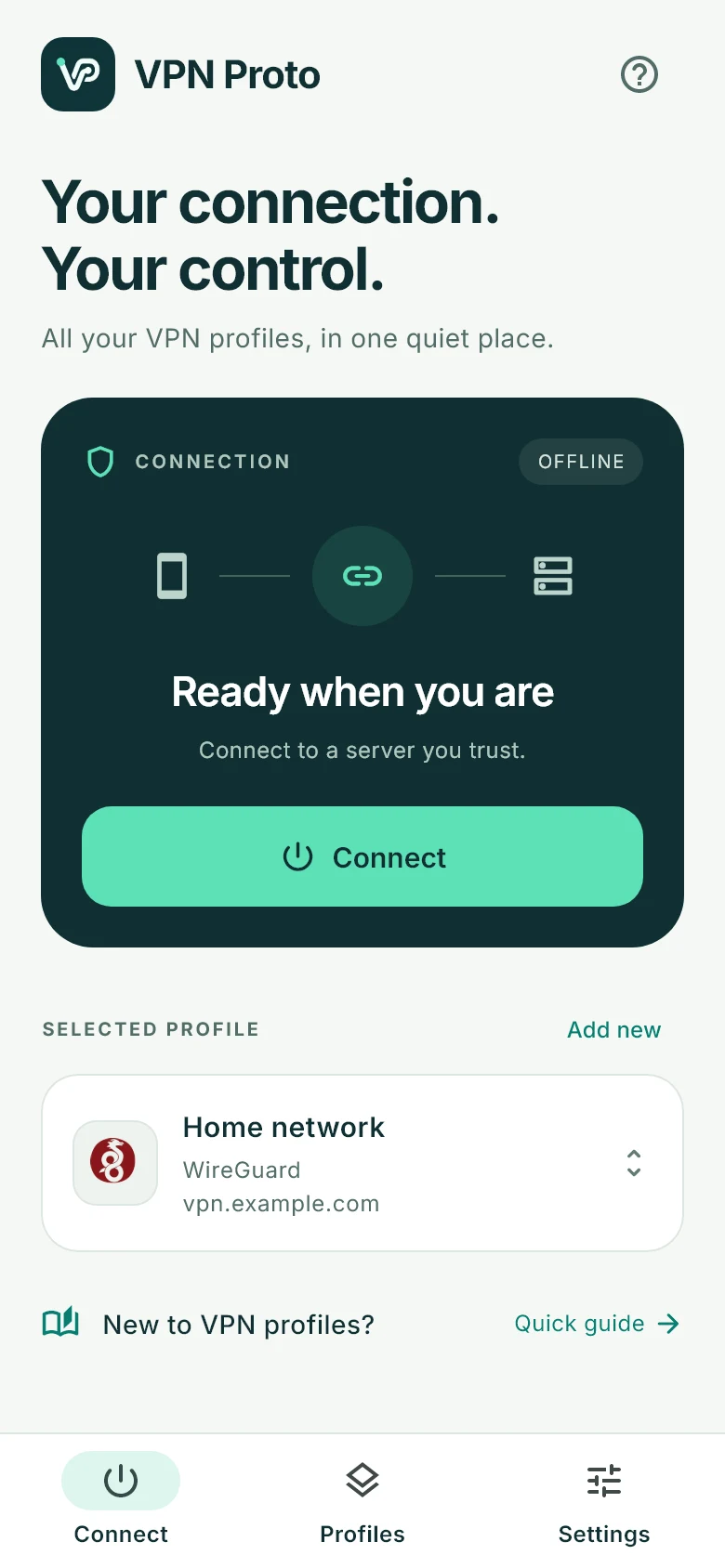
Less figuring out. More connecting.
From profile to connected.
In three clear steps.
New to VPN clients? A profile is simply the set of details your phone needs to reach a VPN server.
Start with your server.
Get a configuration file, share link or sign-in details from your VPN provider, administrator or your own server.
Find your setup guide ↗Add it. Name it. Save it.
Import a file, paste your configuration or enter server details. Give the profile a name you’ll recognize, like Home or Work.
See how profiles work ↗One clear Connect button.
Choose your profile, allow Android’s VPN request and wait for the connection check. Disconnect whenever you need.
Explore supported protocols ↗A VPN client, for your choice of server. VPN Proto does not include a server network or subscription. Use a configuration from a provider or server you trust.
Thoughtfully simple
Everything you need.
Room to breathe.
A focused home screen, readable connection status and profiles that stay easy to find. Built around the connection you came here to make.
Your profiles, organized.
Search by name, server or protocol. Favorite the ones you use most. Edit a profile from a visible menu.
Status that explains itself.
See when the app is connecting and checking internet reachability. Traffic totals appear when the protocol provides them.
A quieter app.
No advertising SDK, no VPN Proto sign-up, and no online font downloads. Your saved profiles stay on your device.
Meet your protocols
Different connections.
The same familiar flow.
Choose what matches your server. Each technology has its own configuration and requirements.
| Protocol | What you bring | Works with | Setup |
|---|---|---|---|
 OpenVPN OpenVPN | .ovpn configuration | Existing provider & workplace profiles | OpenVPN guide |
 WireGuard WireGuard | .conf configuration | Your own WireGuard server or provider | WireGuard guide |
| SSTP | Server + username + password | SSTP servers with a trusted TLS certificate | SSTP guide |
| IKEv2 | Server credentials · Android 11+ | Compatible IKEv2/IPsec server accounts | IKEv2 guide |
 V2Ray V2Ray | Share link or configuration text | Compatible V2Ray / Xray configurations | V2Ray guide |
Android 7.0+ for the app. IKEv2 requires Android 11+. V2Ray feature compatibility depends on the supplied configuration.
A little clarity goes a long way
Get to know your connection.
Choose the protocol your server supports.
Understand the differences between OpenVPN, WireGuard, SSTP, IKEv2 and V2Ray.
Read the guide SimplifyOpenVPN and WireGuard. Together.
Keep both types of profiles in one app, with a familiar connection flow.
Read the guide SwitchComing from v2rayNG?
See where VPN Proto fits, what transfers, and what to check before switching.
Read the guideGood questions
A few things
to know.
Simple answers before your first connection.
What is VPN Proto?
VPN Proto is an Android VPN client that brings OpenVPN, WireGuard, SSTP, IKEv2 and compatible V2Ray configurations into one app. It connects to servers you configure; it does not supply a VPN server network.
Do I need my own VPN server?
You need a server configuration from a VPN provider, a workplace administrator, or a server you operate. VPN Proto does not include server accounts or a country/location list.
Which Android versions work?
The app requires Android 7.0 or later. IKEv2 uses Android’s platform VPN API and requires Android 11 or later. This release is for Android phones; there is no iPhone or desktop release.
Can I use two protocols at the same time?
You can save profiles for all five supported technologies. Use one connection at a time: disconnect, choose another profile, and connect again.
Does VPN Proto keep my browsing history?
The app does not include advertising or analytics SDKs that collect browsing history. Profiles are stored on your device. Your chosen VPN server has its own privacy practices, and connection checks contact Google and Microsoft endpoints. Read the privacy policy for details.
Where can I download the Android app?
The redesigned Android release is in preparation. A verified download will be linked on this website when it is ready. No Google Play listing is announced here yet.